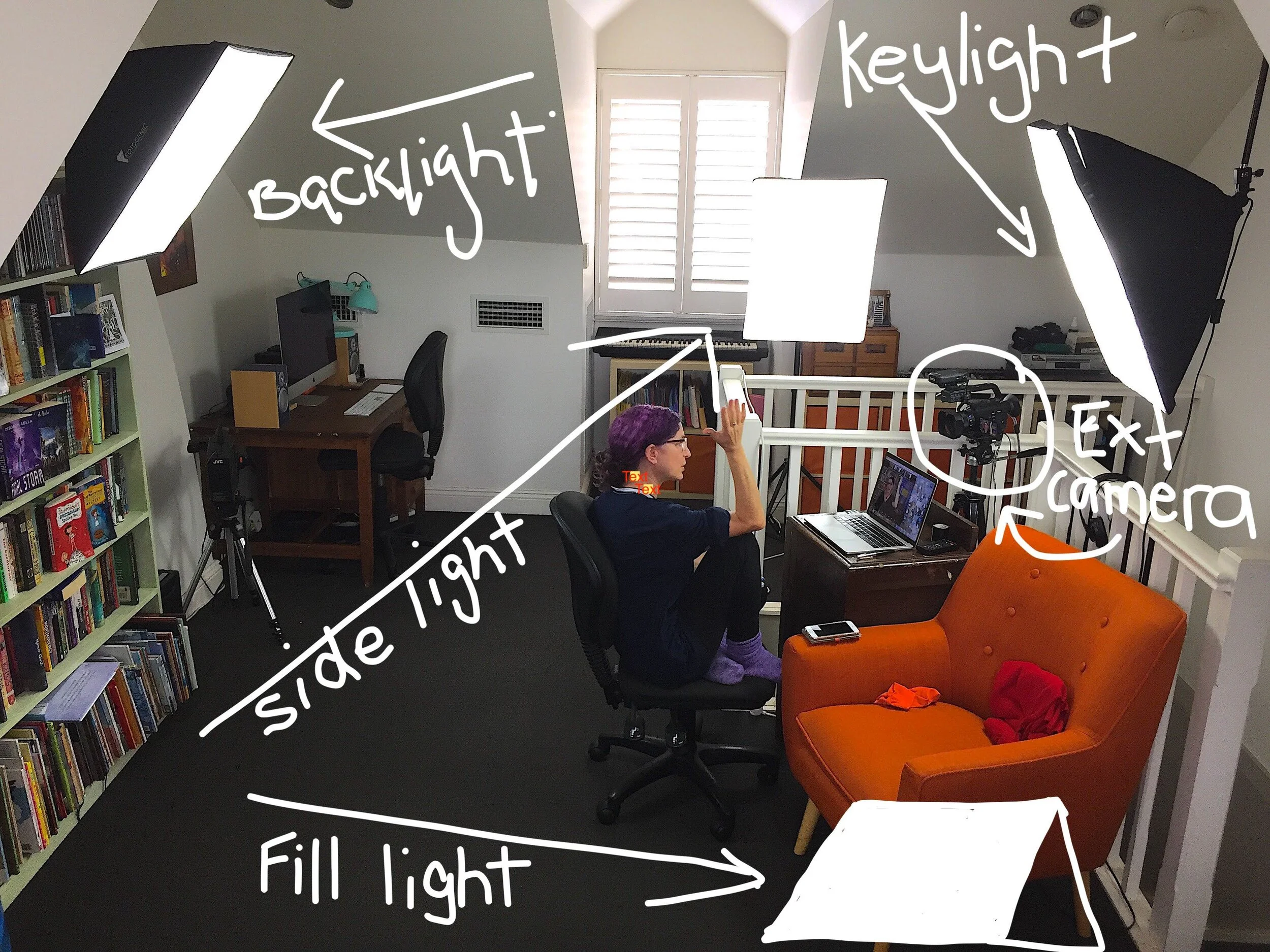
· TURN OFF NOTIFICATIONS ON YOUR LAPTOP AND PHONE:
Before you record, present or go live, turn off notifications on your laptop and set your phone to aeroplane mode (unless you’re using your phone’s hotspot). You don’t want any “pings” to interrupt your presentation!
· EXPLORE THE PLATFORM: Watch instructional videos but also watch other people in action.
General Tips for Presenting from TV and production director, Todd Decker, (Tech Guy Todd) Q&A director, who has worked with many presenters over the last 25 years.
Your main aim is to connect with your audience. Here are some ways to work towards that.
· Hold up your book/prop for at least 8 seconds. It will feel long but so many people remove the item before the audience has had a good look.
· Don’t move around too much, it can be distracting.
· Don’t be afraid to rest on an image.
· Try to avoid rushing or speaking quickly. Allow for pauses, they can be powerful. You don’t have to fill the air every second. Use those pauses to keep your nerves under control.
· Don’t press ‘Go Live’ or start your presentation until you are ready. It is better to be late than have a schmozzle.
· Do a technical test at least 30 minutes before.
· Tap the microphone to make sure it’s working and the sound isn't from the computer mic.
· Don’t hold things in front of mic to muffle the sound and be careful not to touch it whilst you’re presenting.
· Move your body or face towards the camera for emphasis when it feels right.
· Use your voice. It can be a powerful instrument.
· Remember you’re the expert of your topic, take confidence in that.
· Take a deep breath and enjoy yourself.
· Technical and practical tips
a) Make your presentation interesting - content, opening, visuals, activities (next week I’m going to delve into this in great detail).
b) Have a lesson plan and notes - Have them handy but try not to read from them – looking down to read from paper on your desk breaks the connection between you and the viewer.
c) Rehearse, rehearse, rehearse.
d) Record your presentation and watch it back. Check all the things we’ve spoken about.
e) The more prepared you are, the more you can be flexible if things change/go wrong/a question sends you in a different direction.
f) Practice beforehand and on the day.
g) Speak directly to the camera like you are speaking to your audience. Imagine your audience is in front of you. A smile goes a long way to making people feel welcomed.
h) Get comfortable – you’ll be there awhile. Decide if you’ll stand or sit or change positions during the talk and ensure you can do it without tripping over anything or tangling the mic or headset cables.
i) Have everything you need within reach that you may need. Eg: other books, an object that inspired a book, sketches, early drafts. Practice holding these objects up to the camera, some inbuilt webcams can be difficult to find.
j) Have Plan B ready. Eg: if share screen suddenly doesn’t work, have your books, drawings ready to hold up either for real or on a tablet.
k) Trust technology only as much as you have to and be flexible if things don’t work.
l) Choose clothes to suit your talk and you. Generally, solid colours will make you pop from your background and are easier on the eye than busy patterns.
Have fun!
Deborah Abela Author, teacher
www.deborahabela.com